
Get Started
Please follow the instructions below to register for our investor portal and complete your investment.
Step 1: Select an Offering
Click below to view our current investment opportunities:
Click on an offering to learn more, and then click "Invest Now" when you are ready to complete your investment.
Step 2: Log In or Register
If you are a new investor, you will be prompted to create an account in our portal to continue with your investment. If you are a returning investor, you can log back into your account.

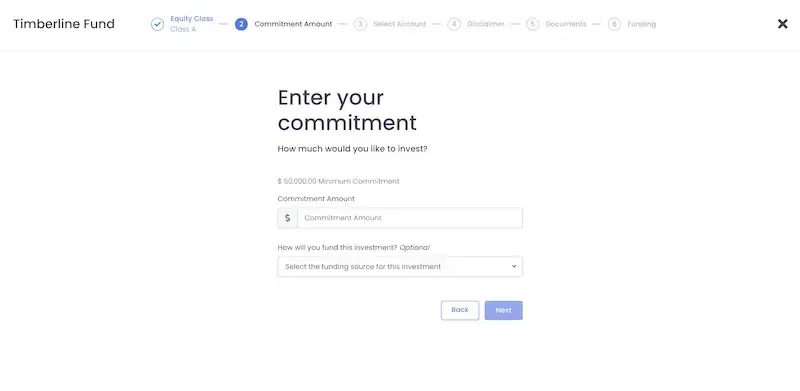
Step 3: Enter your Commitment Amount
You are now in the commitment flow for the offering you selected. The first step is to enter the amount you would like to invest:
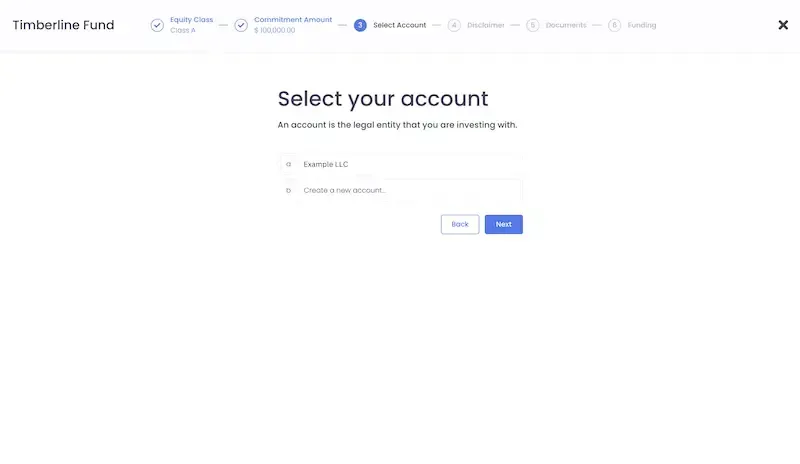
Step 4: Select or Create your Account
Your "account" is the legal entity you will be investing with, whether you are investing as an individual, LLC, Trust or another entity. Start by clicking "create a new account". From there, you will enter information about your entity.
If you are a returning investor, you may select an entity you have invested with previously.
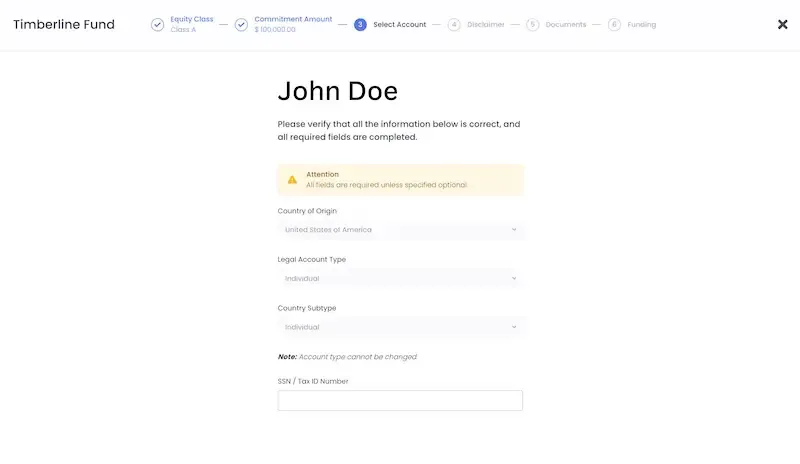
Step 5: Enter your Personal Information
On the next page, please enter and verify your personal information.
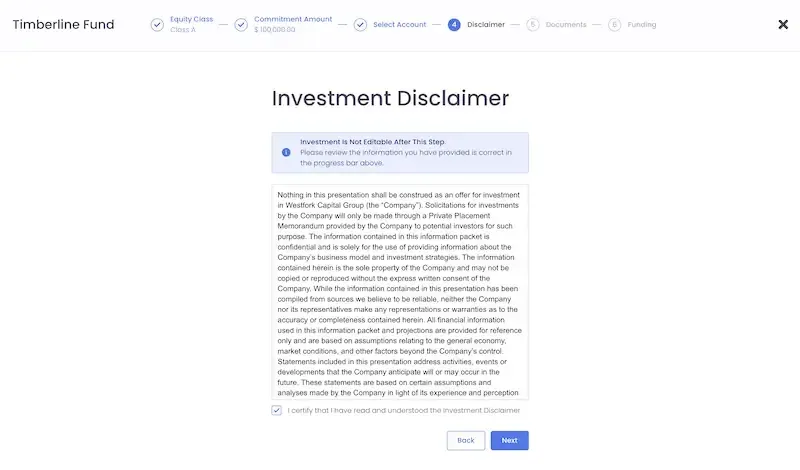
Step 6: Agree to the Investment Disclaimer
Please read and agree to the general disclaimer.
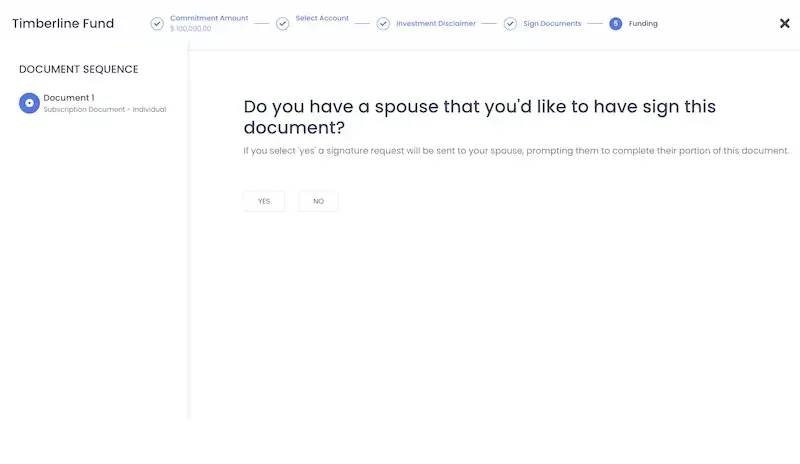
Step 7: Add a Spouse (if applicable)
If you have a spouse, please select "Yes" on this page. Our subscription agreement requires a signature if you have a spouse. It will email the document to your spouse so that they can sign the required field.
If you do not have a spouse, you can select "no" here and move on to the next step.
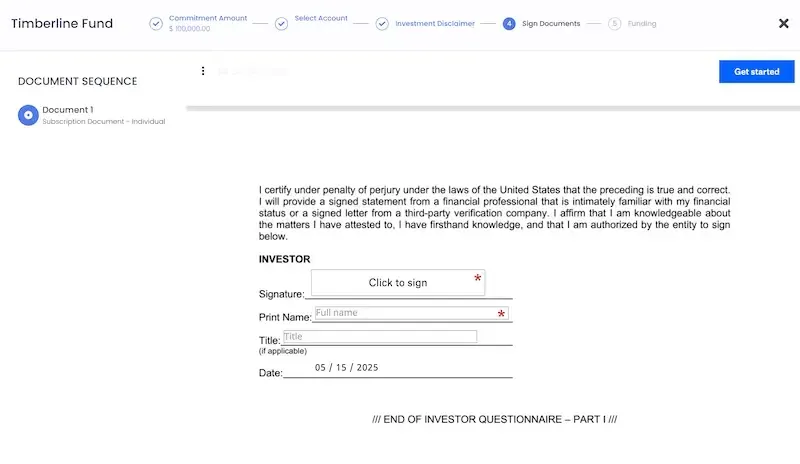
Step 8: Sign the Subscription Document
Click "Get Started" to start filling out the fields in the document. Please read through the document carefully to ensure that you fill it out completely and correctly.
Some fields are required for accredited investors, and some are required for non-accredited investors. Additionally, some fields may only apply to individual investors, and some may apply only to entities. Please review these sections carefully as you fill out the document.
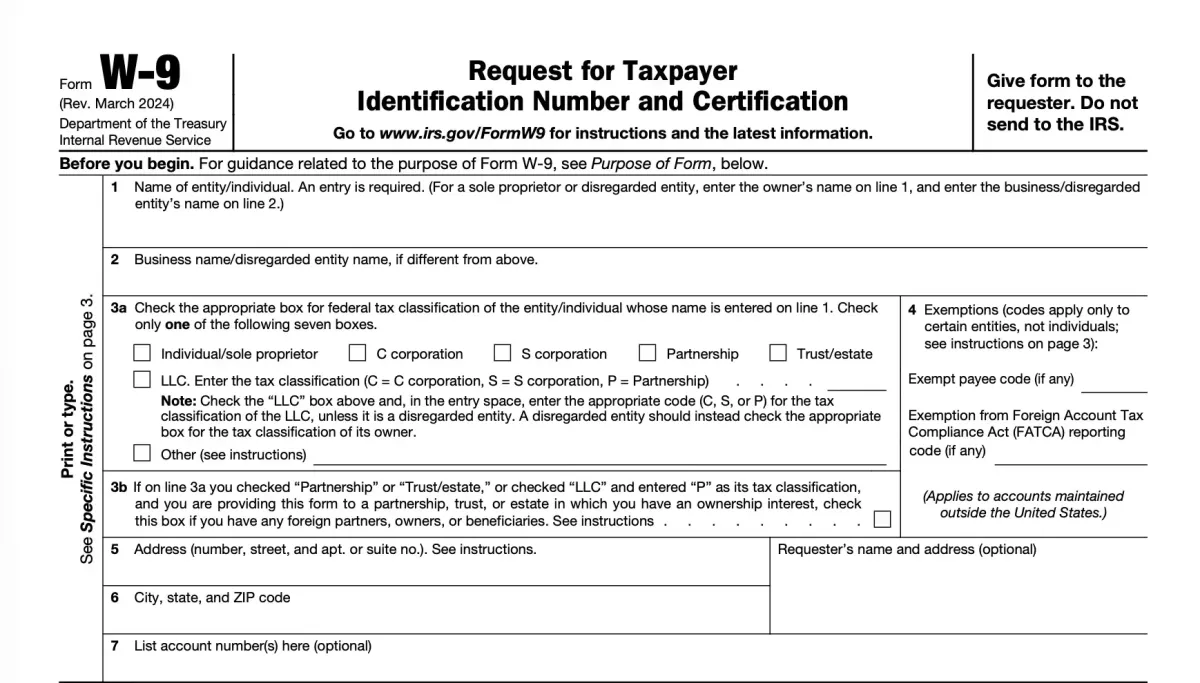
Step 9: Complete your W9 Form
Please complete and sign the IRS Form W-9 to provide your taxpayer identification information. This form is required for reporting purposes and ensures that any income or distributions from your investment can be properly documented for tax compliance.
Step 10: Transfer your Funds
The final step allows you to transfer your funds. We recommend using the ACH Payment option to transfer funds easily within the portal.
We've also included wire transfer instructions if you prefer to wire your funds to us.
Once your funds have been transferred & received, we will countersign your subscription document and your investment will be complete.
OUR TEAM
Our team brings decades of experience in real estate investment, operations, and asset management.
David Rosenbaum
Member

Chad Selman
Member

Dalton Buehler
Member

Colt Buehler
Member

Jonah Wright
Member

Get In Touch


© Westfork Capital Group 2026